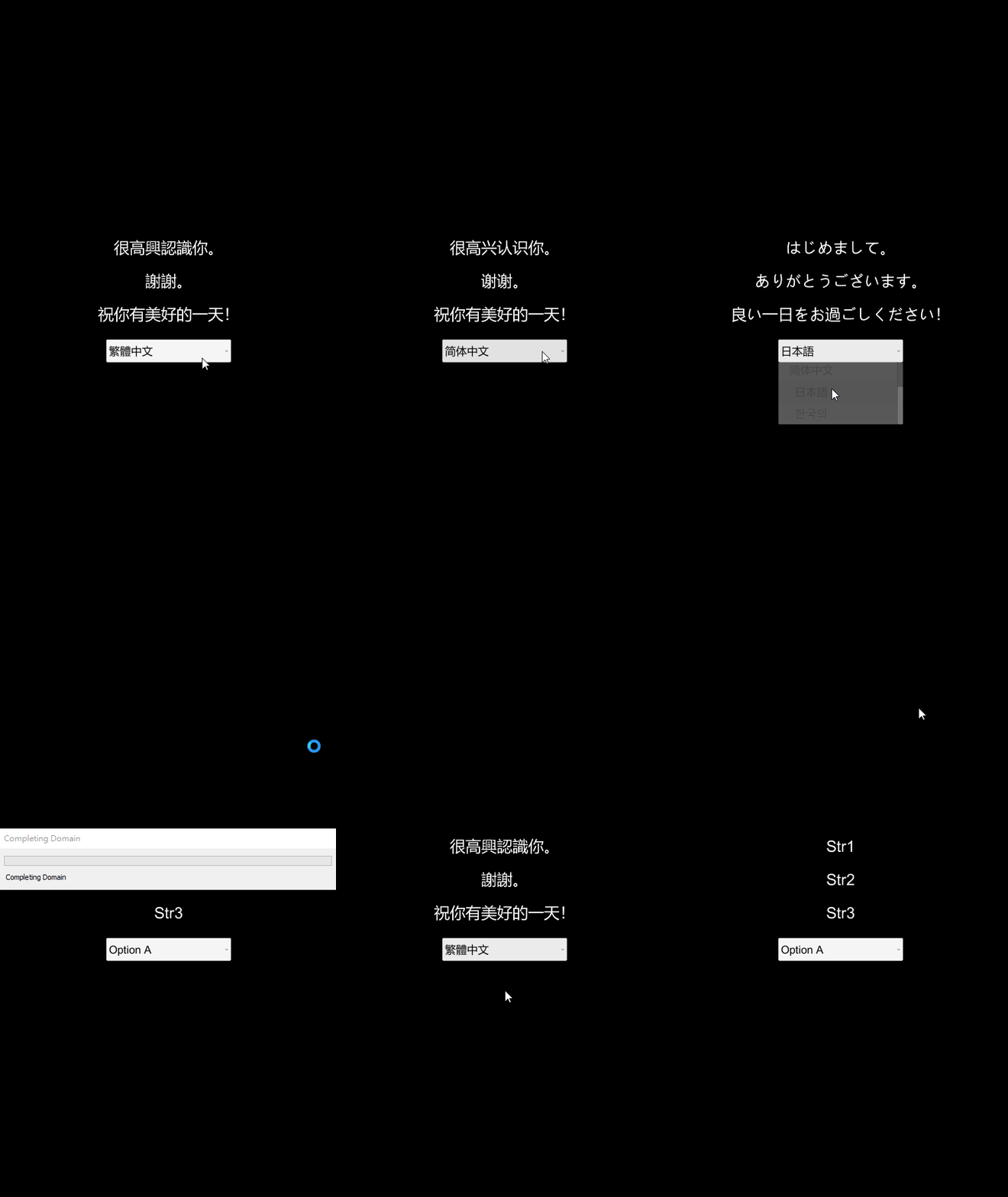
Module Intro
Coding Style wiki
Basic Instructions
Localization system that supports custom table parsing and custom supported languages. This module is a callback-driven localization core: the project supplies its own language table data source (JSON, spreadsheet exports, a server, a game database, etc.), and through callbacks Localization handles supported-language management, language switching, and code-to-text lookup (Code -> Text).
- Version: v1.0.2 (
com.michaelo.oxgkit.localizationsystem) - Namespace:
OxGKit.LocalizationSystem
Reminder This module has no third-party dependencies and can be installed and used independently.
Application Description
Required Callbacks
The following callbacks must be implemented for the initial configuration:
| Callback | Type | Description |
|---|---|---|
Localization.onAddSupportedLanguages | Action<HashSet<LangType>> | Adds the supported languages (declares which languages the project supports). |
Localization.onParsingLanguageData | Func<LangType, Dictionary<string, string>, bool> | Parses the language table data (fills the Code -> Text pairs of the given language into langData); returns true on success. |
Localization.onChangeLanguage | Action<LangType> | Notified after a successful language switch (refresh UI texts here). |
Important onAddSupportedLanguages and onParsingLanguageData must be assigned before the first ChangeLanguage call; if onParsingLanguageData is unassigned or parsing fails, ChangeLanguage throws an exception.
Language Switching Flow
- Assign the callbacks above (the data source needed for parsing must be prepared first, e.g. downloaded/loaded language tables).
- Call
Localization.ChangeLanguage(langType): internally it first parses the table viaonParsingLanguageData, then verifies the language is supported; on success it caches the language table data, updatescurrentLanguage, and finally firesonChangeLanguage. - The UI always retrieves the text of the current language via
Localization.GetStringByCode("code").
Attention Switching to an unsupported language only logs a warning and keeps the current language; GetStringByCode returns "Unknown Text" when the code is not found (treat it as a missing-string-code signal during QA).
System Language Detection and Fallback
Localization.systemLanguagemaps the OS language (UnityEngine.Application.systemLanguage) to aLangType; if it is not a supported language, it always falls back toLangType.English.- Use
Localization.GetAndCheckIsSupportedLanguage(langType)to sanitize the player's saved language value (falls back to English when unsupported).
Persisting the Language
Reminder The module itself does not persist the selected language; the project owns saving/restoring the LangType (e.g. PlayerPrefs or a save system). When restoring, it is recommended to sanitize the value with GetAndCheckIsSupportedLanguage before switching.
Simple Usage
Initial Configuration (Localization Config)
using System.Collections.Generic;
using OxGKit.LocalizationSystem;

#region Localization Config
/// <summary>
/// Initialize localization config
/// </summary>
public static void InitializeLocalization()
{
    // Add supported languages
    Localization.onAddSupportedLanguages = AddSupportedLanguages;

    // Parsing language table data
    Localization.onParsingLanguageData = ParsingLanguageData;
}

/// <summary>
/// Handle by Localization.onAddSupportedLanguages
/// </summary>
/// <param name="supportedLanguages"></param>
public static void AddSupportedLanguages(HashSet<LangType> supportedLanguages)
{
    supportedLanguages.Add(LangType.English);
    supportedLanguages.Add(LangType.ChineseTraditional);
    supportedLanguages.Add(LangType.ChineseSimplified);
    supportedLanguages.Add(LangType.Japanese);
    supportedLanguages.Add(LangType.Korean);
}

/// <summary>
/// Handle by Localization.onParsingLanguageData
/// </summary>
/// <param name="langType"></param>
/// <param name="langData"></param>
/// <returns></returns>
public static bool ParsingLanguageData(LangType langType, Dictionary<string, string> langData)
{
    // Your lang sheet (can load from json or server)
    if (langSheet.ContainsKey(langType.ToString()))
    {
        // The ref langData will be cached by Localization
        foreach (var pair in langSheet[langType.ToString()])
            langData.TryAdd(pair.Key, pair.Value);
        return true;
    }
    return false;
}
#endregion
UI Refresh (UI View Logic)
#region UI View Logic
/// <summary>
/// Init events
/// </summary>
private void _InitEvents()
{
    // Refresh lang text callback
    Localization.onChangeLanguage += this._RefreshLanguage;
}

/// <summary>
/// Handle by Localization.onChangeLanguage
/// </summary>
private void _RefreshLanguage(LangType langType)
{
    if (this.texts != null)
    {
        this.texts[0].text = Localization.GetStringByCode("Str1");
        this.texts[1].text = Localization.GetStringByCode("Str2");
        this.texts[2].text = Localization.GetStringByCode("Str3");
    }
}
#endregion
Switching Languages
// After the initial configuration, perform the first switch during startup
// (restore the player's saved language, falling back to the system language)
InitializeLocalization();
var savedLang = (LangType)PlayerPrefs.GetInt("language", (int)Localization.systemLanguage);
Localization.ChangeLanguage(Localization.GetAndCheckIsSupportedLanguage(savedLang));

// Language menu switching (a successful switch fires onChangeLanguage to refresh the UI)
Localization.ChangeLanguage(LangType.Japanese);

// Save the selected language (the module does not persist it)
PlayerPrefs.SetInt("language", (int)Localization.currentLanguage);
[Refer to Example]
Installation
| Install via git URL |
|---|
| Add https://github.com/cout-m6o/OxGKit.git?path=Assets/OxGKit/LocalizationSystem/Scripts to Package Manager |
Third-Party Libraries
- None (this module has no third-party dependencies).
Samples (Package Manager -> Samples)
- AI Agent Skills (refer to AI Agent Skills)
- Localization Demo
Module API
- Runtime
- Localization (using OxGKit.LocalizationSystem)
Demo
Localization Demo