Toolkit Intro
Coding Style wiki
Basic Instructions
OxGKit is a Unity-based toolkit of systems commonly used in game development (all standalone tools) — install only what you need. Each system module can be installed and used separately via UPM, with no forced coupling between them.
Reminder Some modules depend on LoggingSystem because, when necessary, they need integrated log output (each module's log switches and levels are centrally managed through LoggingLauncher).
Currently includes the following
- Logging System (LoggingSystem)
- Infinite ScrollView (InfiniteScrollView)
- Action Sequence System (ActionSystem)
- Notice System (NoticeSystem)
- Input Control System (InputSystem)
- Tween Animation System (TweenSystem)
- Button System (ButtonSystem)
- Time System (TimeSystem)
- Cursor System (CursorSystem)
- Object Pool System (PoolSystem)
- Singleton System (SingletonSystem)
- Saver System (SaverSystem)
- Localization System (LocalizationSystem)
- Virtual Joystick System (VirtualJoystick)
- Essential Utility Components (Utilities)
[The toolkit will keep expanding]
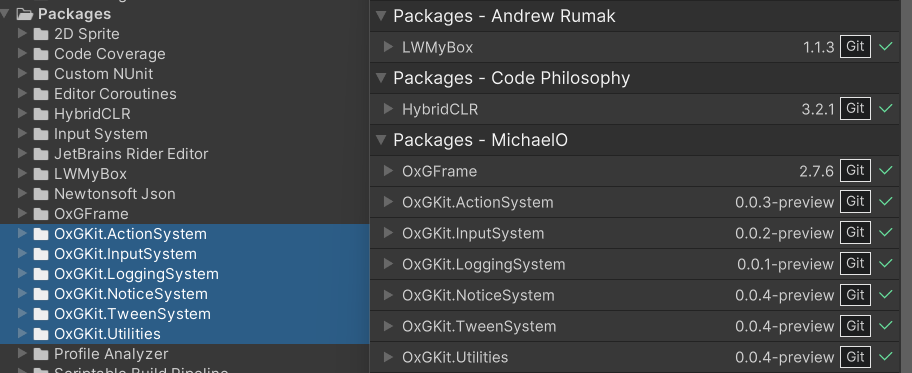
Toolkit Features
-
Standalone Modules
Every system is an independent tool — install and upgrade each one separately via UPM, take only what you need without dragging in unused modules. Works great alongside the OxGFrame framework as well.
-
Lightweight Dependencies
Each module has minimal dependencies (some modules depend on UniTask, LWMyBox, and OxGKit.LoggingSystem), so the install list stays clear and simple.
-
Complete Examples
Every module ships with Examples (import via Package Manager -> Samples) so you can get started quickly by referencing them.
-
AI-Assisted Development (AI Agent Skills)
Every system module ships with built-in AI Agent Skills (SKILL.md) that teach AI coding agents (Claude Code, OpenAI Codex CLI, Cursor, Copilot, etc.) how to use each module's API correctly. See AI Agent Skills for details.
-
Template Creation Menus
Some modules provide Right-Click Create/OxGKit/... script template menus (e.g., ActionSystem, NoticeSystem, InputSystem, InfiniteScrollView) for quickly creating implementation scripts.
Platform Tests
- Windows (Passed)
- MacOSX (Passed)
- Android (Passed)
- iOS (Passed)
- WebGL (Passed)
Compatible Unity Versions
- Unity 6000.3.20f1 (LTS) or higher is recommended - Unity Download.
- All packages support Unity 2021.3+ (Unity 2021 LTS, 2022 LTS, and Unity 6 are all compatible).