Module Intro
Coding Style wiki
Basic Instructions
A UGUI virtual joystick system (adjusted version) supporting Fixed and Floating display. It outputs a Vector2 stick vector through the onStickInput callback, with Normalized / Delta vector modes, axis constraint (AxisConstraint), and dead-zone filtering.
- Version: v1.0.1 (
com.michaelo.oxgkit.virtualjoystick) - Namespace:
OxGKit.VirtualJoystick
Reference: annulusgames - EnhancedOnScreenStick
Attention This module is purely UGUI-event driven (UnityEngine.EventSystems) and does not depend on Unity New InputSystem's OnScreen controls (it works with both Old and New Input backends), but the scene must contain a Canvas and an EventSystem.
Application Description
Component Setup
Add the component via Add Component -> OxGKit -> VirtualJoystick -> VirtualJoystick. The host object requires a RectTransform and an Image (auto-added by RequireComponent) — the host object itself is the touch area (the image can be made transparent to act as the touch surface). Assign the Background (stick base) and Handle (stick knob) references in the Inspector.
Attention The component must live under a Canvas; if Awake cannot find a parent Canvas, it logs an error and disables itself.
Reminder You can import the VirtualJoystickUI Prefab through Package Manager -> Samples (component and joystick images pre-wired), then drop it under a Canvas to use it right away.
Stick Type (StickType)
- Fixed: The joystick stays at its original position.
- Floating: On every press, the joystick background is repositioned to the press point.
Combine it with the Show Only When Pressed option to show the joystick only while pressed (hidden on release) — the modern floating-stick UX.
Vector Mode (StickVectorMode)
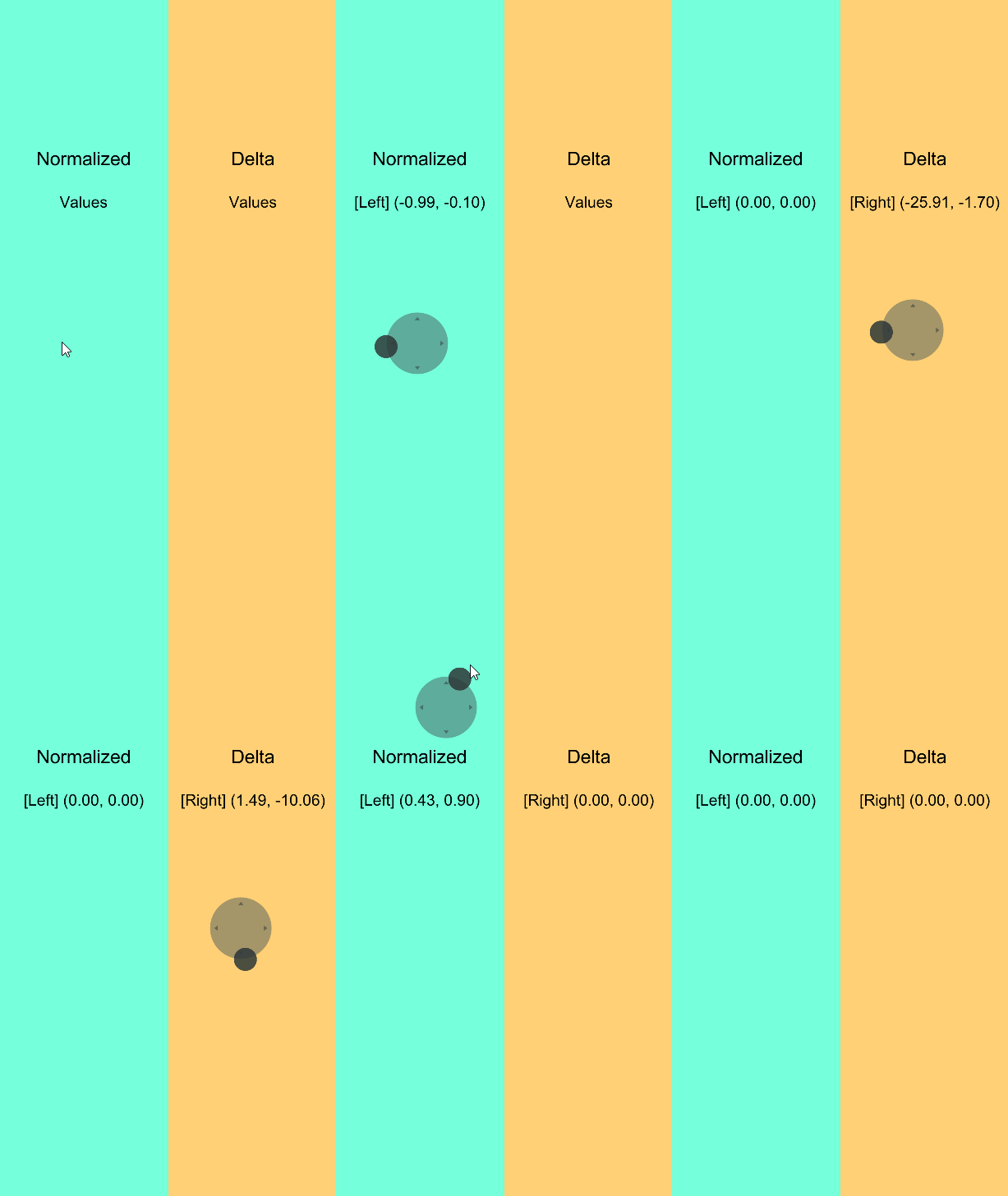
- Normalized: Output is limited to the -1.00 ~ 1.00 range (suitable for movement control).
- Delta: Mimics Mouse Delta; output can exceed 1 (suitable for camera-look control).
Axis Constraint (AxisConstraint)
- Both: Outputs both axes.
- Horizontal: Outputs the horizontal axis only.
- Vertical: Outputs the vertical axis only.
Dead Zone
Dead-zone range 0 ~ 1; stick inputs below this value are treated as invalid (prevents accidental touches).
Reminder The dead zone is a fraction of the movement range — values around 0.05 ~ 0.15 filter accidental touches without hurting responsiveness.
Simple Usage
Subscribing to the Stick Output
using OxGKit.VirtualJoystick;
using UnityEngine;

public class PlayerController : MonoBehaviour
{
    [SerializeField]
    private VirtualJoystick _joystick;
    [SerializeField]
    private float _speed = 5f;

    private Vector2 _move;

    private void Awake()
    {
        // Configure the joystick (can also be set directly in the Inspector)
        this._joystick.stickType = StickType.Floating;
        this._joystick.deadZone = 0.1f;

        // Subscribe to the stick output callback (returns Vector2.zero on release)
        this._joystick.onStickInput += this._OnStickInput;
    }

    private void _OnStickInput(Vector2 v2)
    {
        this._move = v2;
    }

    private void Update()
    {
        this.transform.Translate(new Vector3(this._move.x, 0f, this._move.y) * this._speed * Time.deltaTime);
    }

    private void OnDestroy()
    {
        // Unsubscribe when the object is destroyed
        this._joystick.onStickInput -= this._OnStickInput;
    }
}
Important onStickInput is a plain Action<Vector2> delegate field — assigning with = replaces all existing subscriptions; prefer += / -= for subscribing and unsubscribing.
[See Example]
Installation
| Install via git URL |
|---|
| Add https://github.com/cout-m6o/OxGKit.git?path=Assets/OxGKit/VirtualJoystick/Scripts to Package Manager |
Reminder This module has no dependencies (the dependencies field of package.json is empty), so no third-party libraries need to be installed.
Samples (Package Manager -> Samples)
- AI Agent Skills (see AI Agent Skills)
- VirtualJoystickUI Prefab
- VirtualJoystick Demo
Module API
- Runtime
- VirtualJoystick (using OxGKit.VirtualJoystick)
Demo
VirtualJoystick Demo